Most launch checklists are a list of places to post. The posting is the easy part. What decides whether a launch leaves anything behind is whether the site underneath is ready: whether search engines can index it, whether a preview looks like a product, whether a stranger can sign up and pay without writing to you.
This checklist starts from the site, using the same 15 checks website.show runs on the homepage of every listed product, with the thresholds we use. Then it covers launch day and the week after. Each step links to a guide that goes deeper.
What should you check before launching a SaaS?
Three things, two weeks out, while there is still time to fix them:
- The homepage can be found: search engines may index it, and its title, description and headings say what the product does.
- Machines can read it: AI crawlers are allowed in, and the page states the product, price and maker in a form a parser does not have to guess.
- The product works for a stranger: sign-up, the first useful result and payment, on a phone and on a laptop, from an account you have never used.
The first two are the 15 checks below, and our free site check runs all of them on any homepage in a few seconds. The third you can only do by hand.
Is your homepage ready for search?
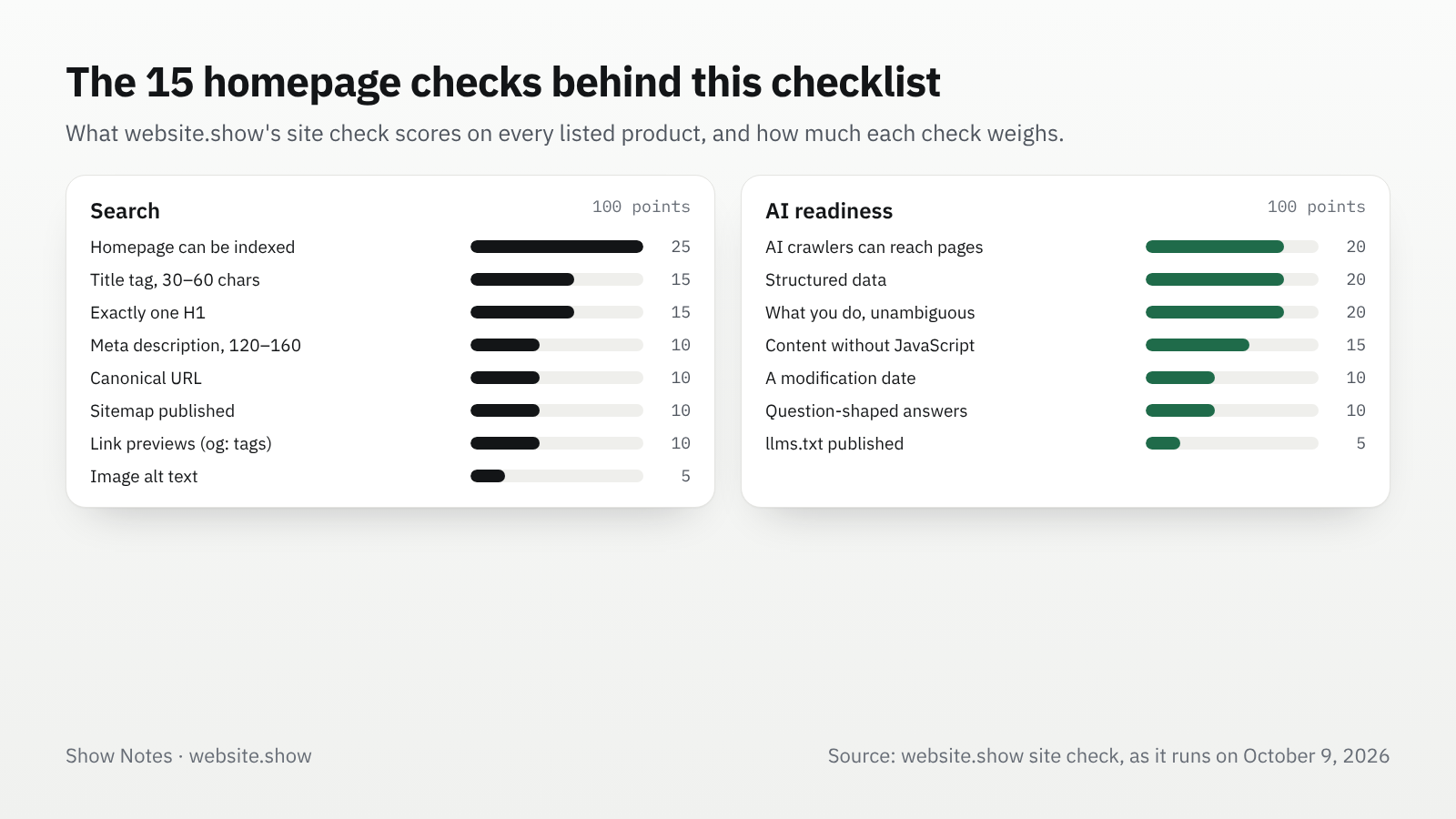
Our site check scores eight things on a homepage, out of 100 points. The weights show what we think matters most for a new product site.
| Check | Points | What passes |
|---|---|---|
| The homepage can be indexed | 25 | No noindex in a meta tag or header, and robots.txt lets Googlebot fetch the homepage |
| Title tag | 15 | Present, 30 to 60 characters |
| One H1 | 15 | Exactly one main heading on the page |
| Meta description | 10 | Present, 120 to 160 characters |
| Canonical URL | 10 | The page declares its main address |
| Sitemap | 10 | A sitemap is published and can be found |
| Link previews | 10 | og:title, og:description and og:image all present |
| Image alt text | 5 | Images describe themselves in alt |
The first row is the one that hurts most when it fails, and it is often a leftover: a "hide from search engines" switch from a staging setup. Once the site is live, our guide to checking whether Google indexed your site shows how to confirm it with Google's own tools.
For the title, say what the product does, not only its name. The same words do double duty in the preview image; our guide to OG image size covers the tags and the 1200 by 630 image that most apps read.
Can AI assistants read and describe it?
The other seven checks, also out of 100, ask whether a crawler for an AI assistant can reach the page and state what the product is without guessing.
| Check | Points | What passes |
|---|---|---|
| AI crawlers can reach your pages | 20 | robots.txt lets in the AI search crawlers (12 points) and training crawlers (8 points) |
| Structured data | 20 | JSON-LD with an Organization and a Product or SoftwareApplication |
| What you do is stated unambiguously | 20 | Title, description and H1 each exist and say different things |
| Content without JavaScript | 15 | The text is in the HTML, not only drawn by scripts |
| A modification date | 10 | Structured data carries dateModified or datePublished |
| Question-shaped answers | 10 | FAQPage markup, or at least headings phrased as questions |
| llms.txt | 5 | The file exists; the smallest weight, as the format is not settled |
Blocking the training crawlers is often deliberate, so it costs only part of the check; blocking the search ones is what keeps a product out of answers. Our robots.txt guide for AI crawlers sorts the bots by job. For the structured data, our SoftwareApplication schema example gives a block to adapt, and our guide to getting into ChatGPT search covers what OpenAI says it needs.
What has to work on launch day?
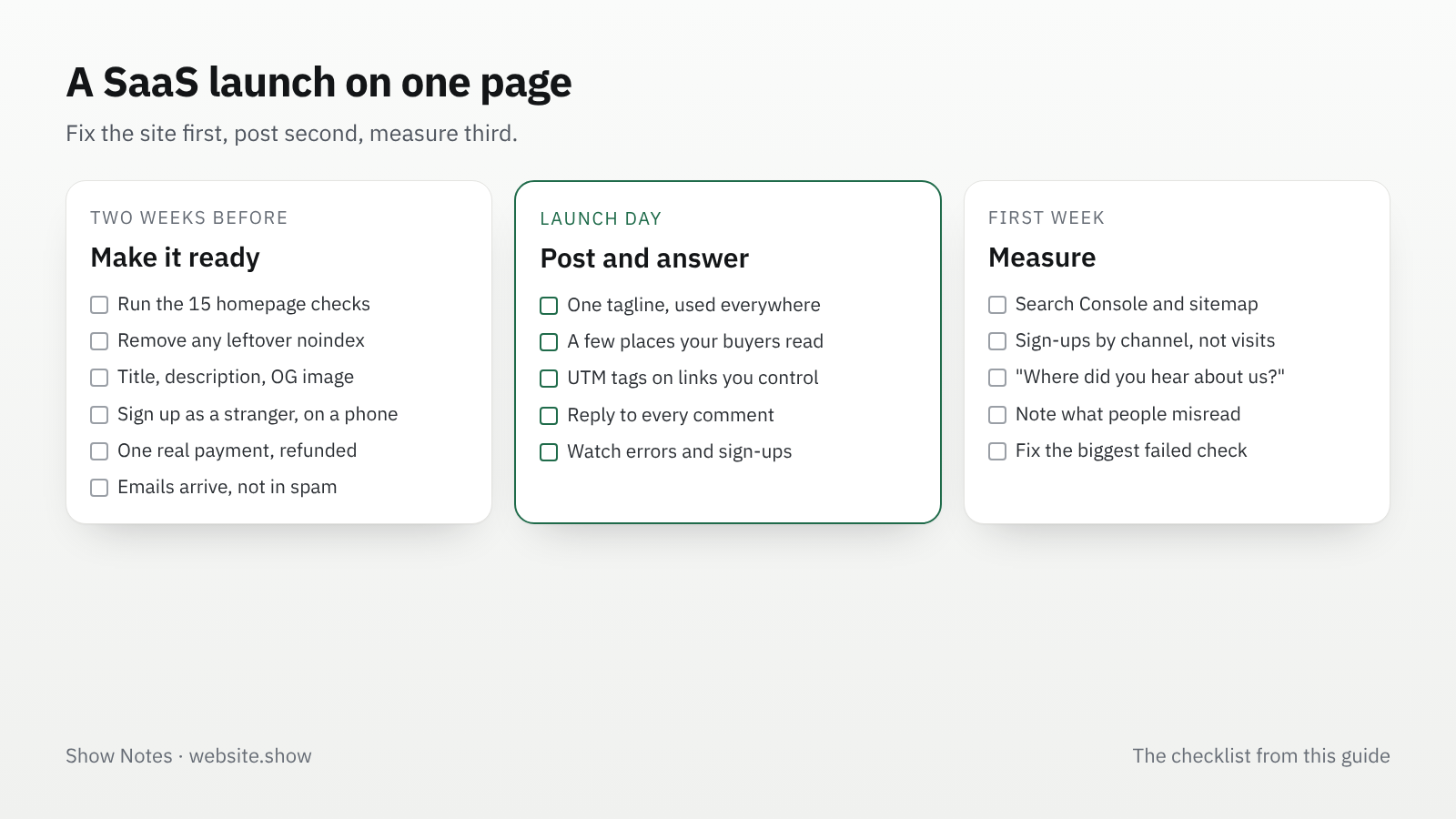
Everything a stranger touches in the first five minutes. Go through it in a private window, on your phone, with an email address the product has never seen:
- Sign-up and the first result: from the homepage to something useful without a call or a manual step on your side.
- Payment: one real purchase with a real card, refunded afterwards, so you see the receipt, the webhook and the account change.
- Email: the confirmation and the receipt arrive and do not land in spam.
- A public pricing page: plans and prices in plain text. Our guide to pricing a small SaaS covers the fees behind each price point.
- Errors you will hear about: an error tracker or at least an alert email, so a broken sign-up reaches you before a comment does.
Then write the links you will post, one per place, with UTM tags on the ones you control. Without them, launch traffic lands in "direct" and you cannot tell which post worked.
Where should you announce a SaaS launch?
In a few places where your buyers already are, with a post written for each. Our comparison of launch directories shows what each one asks for and gives. If developers would try your product themselves, our Show HN guide covers the rules of the strictest channel.
Every place shows the same one-line description first, so write it before any of the posts. Our guide to writing a tagline has before and after examples. Stagger the posts over a few days rather than one hour: you can answer every comment, and you learn from the first post before you write the next.
What should you do in the week after launch?
Answer everyone, then measure: the first week tells you which channel sent people who stayed, and that is the channel to repeat.
- Reply to every comment and email in the first days, including the critical ones. Write down what people misunderstood: that is your homepage copy for next month.
- Add the site to Search Console if it is not there, submit the sitemap, and check the homepage with URL Inspection.
- Compare channels by sign-ups, not visits. A post that sent 2,000 visitors and three accounts did less than one that sent 50 and ten.
- Ask new users where they heard of you, in one optional field. It catches word of mouth and assistant answers that analytics cannot see.
- Fix the biggest failed check from the lists above, then the next. Our guide to your first 100 users covers what comes after launch week.
FAQ
How long before launch should you start this checklist?
Two weeks is enough for a small product. The site checks take an afternoon, but fixes to sign-up, payment or email can take days, and a search engine needs time to crawl the changes.
Do I need a waiting list before launching?
No: a list helps you reach people on launch day, but a sign-up page alone cannot be launched in most places, and some, like Show HN, refuse it outright. Launch when a stranger can use the product.
Should I launch everywhere on the same day?
Spread it over several days, so you can answer each thread properly, and each post teaches you something about how people describe the product, which improves the next one.
Sources
- WebsiteShowBot: what our crawler fetches, the crawler behind the 15 checks above, as they run on October 9, 2026
- Get your website on Google, Google Search Central, updated December 10, 2025
- Overview of OpenAI crawlers, OpenAI
The thresholds in the tables are our site check's own and may change as we tune it. The guides linked above cite their own sources, with the dates we read them.