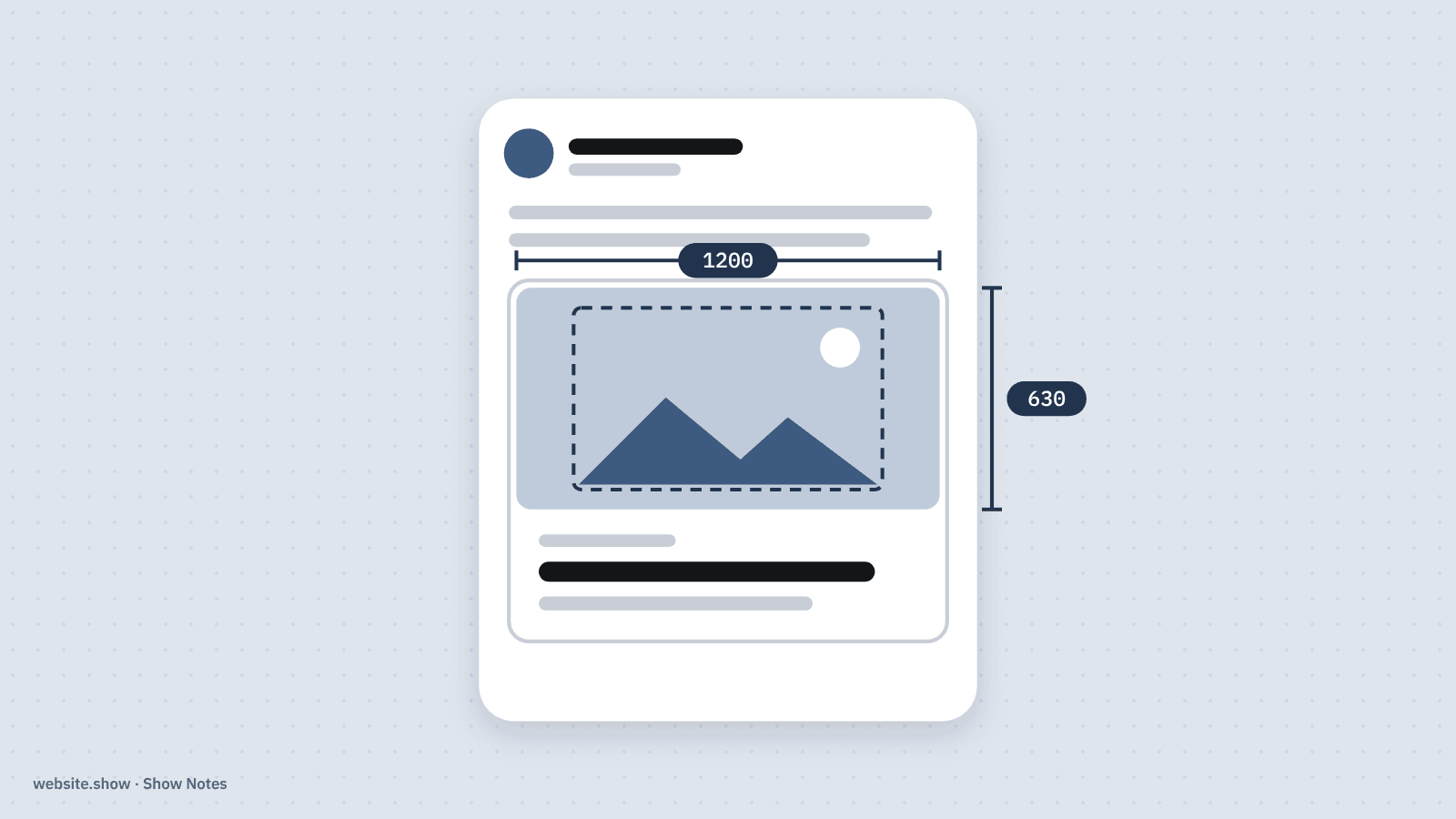
The first thing most people see of a launch is not the site. It is a link preview in a post, a chat or a newsletter: a picture, a title and a line of text. When the image is missing or cropped badly, the link looks like spam, and fewer people tap it.
This guide gives the size that works almost everywhere, the tags behind it and what each platform documents, checked against their own pages on October 8, 2026. Where a platform publishes nothing, we say so instead of passing on a number from another blog.
What size should an OG image be?
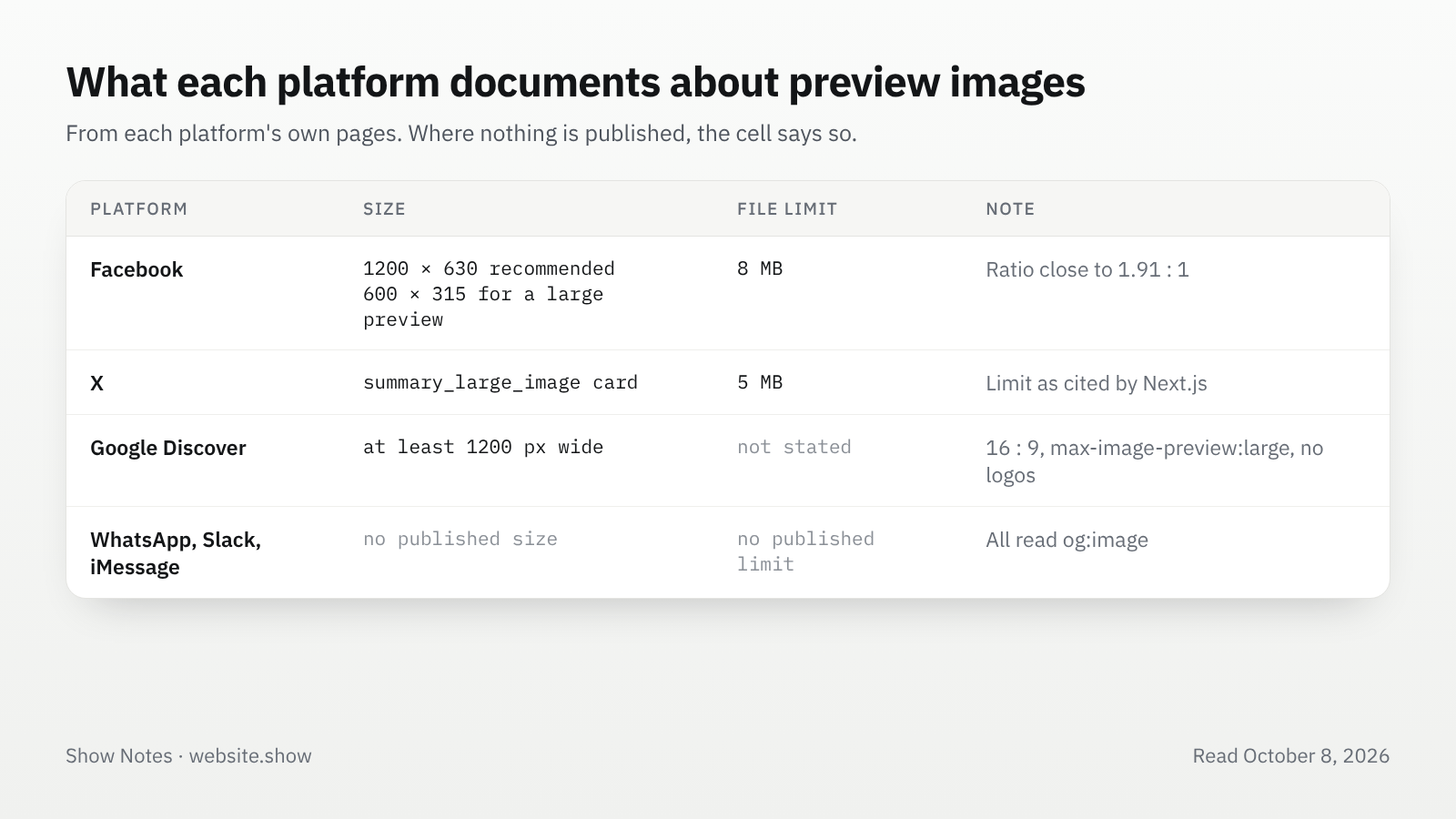
1200 by 630 pixels: Facebook's guide says to "use images that are at least 1200 x 630 pixels for the best display on high resolution devices" and to stay "as close to 1.91:1 aspect ratio as possible". Most other apps read the same image, so one file at that size covers them.
Keep the file small, too. Facebook's limit is 8 MB, and Next.js, which builds the tags for many product sites, caps its twitter-image files at 5 MB. A preview image does not need to be near either limit: a flat design saved as PNG, or a photo saved as JPEG, is usually a few hundred kilobytes.
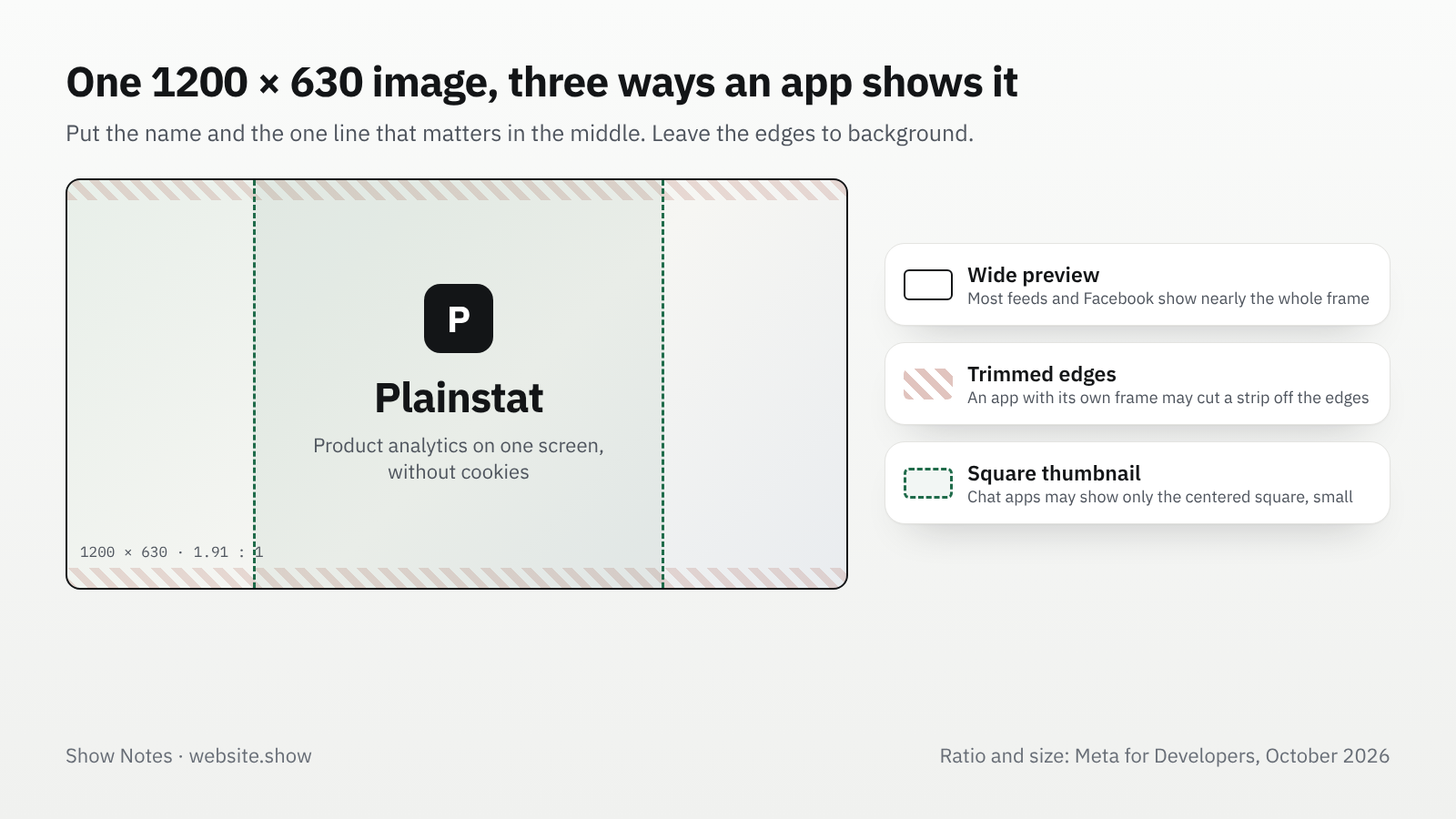
Design for the crop, not the frame. A wide preview shows almost the whole image. Some apps show a small square thumbnail beside the text instead, cut from the middle. Put the product name and the one thing a viewer must read in the center, in large type, and leave the edges for background.
What are the OG image requirements?
Four tags on the page, and an image the crawler can download. The Open Graph protocol defines og:image as "an image URL which should represent your object", with structured properties for its size, type and description.
| Tag | What it does |
|---|---|
og:image | The image's address. Use a full https:// URL, not a relative path. |
og:image:width and og:image:height | The size in pixels, so the app can lay out the preview before it downloads the file. |
og:image:alt | "A description of what is in the image (not a caption)", in the protocol's words. |
og:image:type | The file type, such as image/png. |
twitter:card | Set to summary_large_image for a wide image on X instead of a small square. |
The image itself has to be public. A file behind a login, a firewall that blocks unknown bots, or a robots.txt rule that disallows the image folder all produce a preview without a picture. Our guide to robots.txt covers how to read the rules that block crawlers.
What size does Facebook want for an OG image?
At least 1200 by 630 for the best display, and at least 600 by 315 to get the large preview at all. Facebook says images below 600 by 315 "will still display in the link page post, but the size will be much smaller". The smallest image it accepts is 200 by 200.
Facebook also explains why the width and height tags matter. Its crawler "has to see an image at least once before it can be rendered", so the first person to share a new page may see no image. Declaring the dimensions lets it render the preview without downloading the image first. Its Sharing Debugger fetches the page on demand, which fixes the same problem and shows what Facebook sees.
What size works for X?
The same 1200 by 630 image, with twitter:card set to summary_large_image. That card shows a wide image above the link, in X's own frame, which may trim the edges of an image that does not match it exactly. That is one more reason to keep text away from the edges.
We could not check X's own card documentation for this guide: its old developer address now redirects to a general index. Next.js links to it for the 5 MB limit on twitter-image files, and that is the number we would plan around.
What OG image size does WhatsApp use?
WhatsApp does not publish one, but it reads the same og:image tag as everyone else, so the 1200 by 630 image works. Depending on the link and the device, the preview shows either a wide image above the text or a small square beside it, which is where a centered design pays off.
The same goes for Slack, Discord, iMessage and Telegram: none of the main chat apps documents a size, and all of them read Open Graph tags. Two habits help in every one of them:
- Keep the file light: the preview is fetched over a phone connection, often while the message is being sent.
- Use an absolute HTTPS address that answers quickly, without a redirect chain.
Does an OG image help SEO?
Not for ranking, as far as Google documents. Where it matters is Google Discover, the feed in the Google app. Google's Discover guide asks for large images "at least 1200 px wide", enabled by the max-image-preview:large robots setting, and says to use "either schema.org markup or the og:image meta tag" to point to that image.
The same guide asks for a 16 by 9 ratio there and says to avoid "generic images (for example, your site logo)". If Discover matters to you, give articles a 16 by 9 image in structured data and keep the 1.91 to 1 one for og:image. For a product homepage, one good og:image is enough.
How do you test your link preview?
Paste the link where your audience will see it, before launch day. A private message to yourself in each app is the most honest test there is.
- Facebook Sharing Debugger: shows the tags Facebook read and lets you fetch the page again after a change.
- LinkedIn Post Inspector: does the same for LinkedIn, which caches previews too.
- A message to yourself on WhatsApp, Slack or iMessage, from a phone, to see the square crop.
- Your page's source: search it for
og:imageand open the address in a private window to make sure it loads without a login.
Our free site check reports whether a homepage declares og:title, og:description and og:image, among other basics. Each product listed on website.show also gets its own 1200 by 630 preview card with the product's name, tagline and icon, so a maker can share the listing as well as the site. The whole catalog shows what those listings look like.
FAQ
Can an OG image be an SVG?
Use PNG or JPEG instead, since Next.js accepts only JPG, PNG and GIF for its preview image files, and we found no major platform that documents SVG support for link previews.
Why does my old OG image still show after I changed it?
Platforms cache previews, so ask Facebook and LinkedIn to fetch the page again through their debugging tools. If a chat app still shows the old image, publish the new one at a new address, for example with a version number in the file name, so nothing cached can match it.
Should every page have its own OG image?
Every page people share should, because a blog post, a pricing page or a product page with its own image looks deliberate in a feed. Frameworks such as Next.js can draw these images from code, so one template covers every page with its own title.
Sources
- The Open Graph protocol, ogp.me
- Images in link shares, Meta for Developers
- opengraph-image and twitter-image, Next.js documentation, updated July 9, 2026
- Google Discover, Google Search Central, updated March 9, 2026
We read every page above on October 8, 2026. Platforms change how previews look without notice, so test with a real share before a launch.