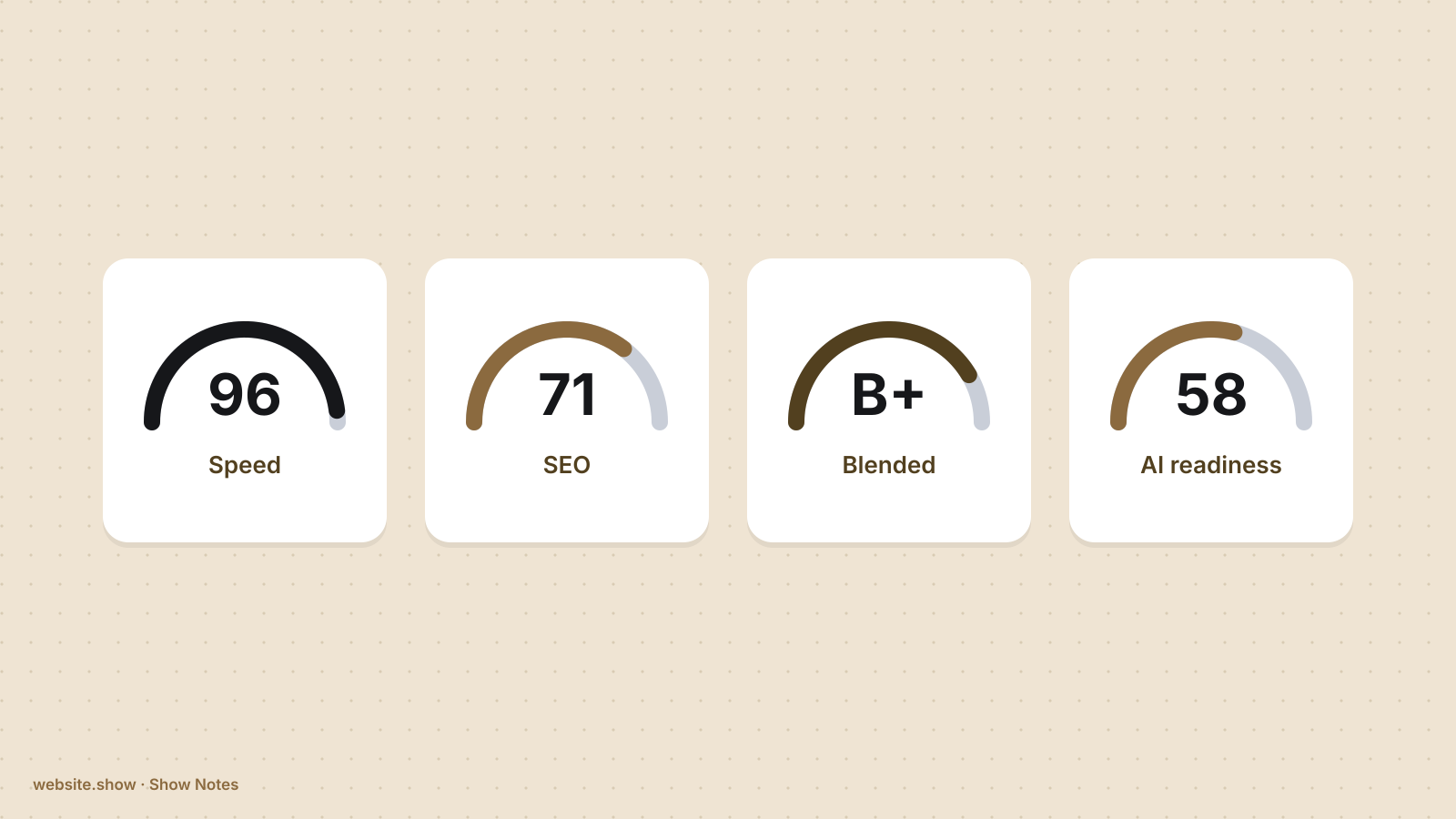
Run the same homepage through three free checkers and you can get a 96, a 71 and a B minus. None of them is wrong. Each one opened a different part of the site, counted different things and called the result a score.
That matters most in the week before a launch, when a single green number is tempting to read as "the site is ready". This guide sorts free website score checkers by what they read, names what each kind leaves out, and says which to run first. We build one of them, website.show/score, so its limits are listed here with everyone else's.
What is a website score checker?
It is a tool that loads a page, runs a fixed list of tests against it and turns the results into one number or grade, with a list of failed tests underneath. The number is a summary of that tool's own list, so two scores from two tools are not on the same scale and cannot be compared.
Most free checkers fall into four kinds:
- Speed checkers measure how quickly a page loads and becomes usable.
- SEO checkers read the page's tags, headings, links and crawl settings.
- Blended graders mix a few categories into one headline figure.
- AI-readiness checkers test whether AI crawlers may read the site and whether its content is easy for an assistant to quote.
What does each kind measure?
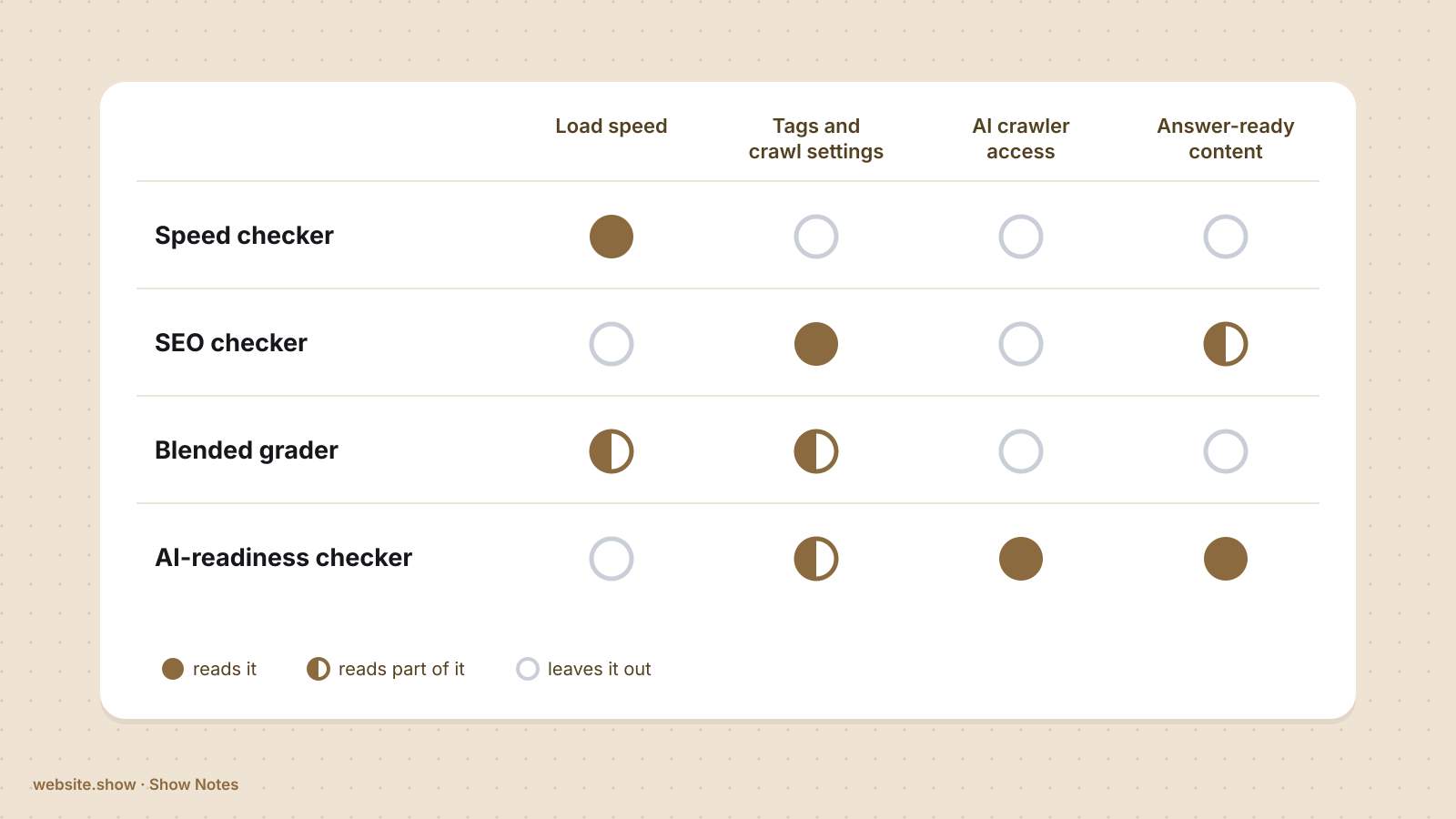
| Kind | Reads | Leaves out | Example |
|---|---|---|---|
| Speed | Load timing and layout stability, in a test browser and from real visits | Whether the title, description and structured data are right | Google PageSpeed Insights |
| SEO | Title, meta description, headings, links, indexing and crawl settings | How fast the page is for a visitor; whether AI crawlers are blocked | Seobility SEO Checker |
| Blended | A few tests from several categories, rolled into one grade | Depth in any one category | HubSpot Website Grader |
| AI readiness | robots.txt rules for AI crawlers, structured data, llms.txt, text that loads without JavaScript | Page speed | website.show/score |
A speed checker answers one question: is this page fast for a person on a phone? Google's PageSpeed Insights runs Lighthouse on a single URL and, when Chrome has enough real visits for the page, shows field data from those visits beside the lab result. Its report also carries Lighthouse scores for accessibility, best practices and SEO, each from that one page load. A fast page with a missing title still scores well there, because titles are not what it grades.
An SEO checker reads the page the way a search crawler does. Seobility's free SEO Checker analyzes one web page for technical errors and on-page issues, and the company lists it among tools that run without registration, with a daily limit on checks; analyzing more than a single URL is part of its paid plan. A page can pass every tag test and still take eight seconds to load.
A blended grader gives one figure across categories such as performance, SEO, mobile and security. It is the fastest way to a first impression and the least specific about what to change.
An AI-readiness checker looks at what the others skip: whether crawlers such as OAI-SearchBot and GPTBot are allowed in robots.txt, whether the page says what the product is in text an assistant can lift, and whether that text is in the HTML before any script runs. Our guide to robots.txt and AI crawlers covers the first of those in detail.
Why do two checkers give the same site different scores?
Because they are grading different work. A speed score and an SEO score share almost no tests, so a gap between them says nothing about which tool is right.
Three more things move a score even inside one kind of tool:
- A lab test loads the page once on a simulated device, while field data is what real Chrome visitors experienced over the previous 28 days. The same page often differs between the two.
- Most free tiers check a single URL, and a clean homepage says nothing about the pricing page.
- A checker that runs fixed tests gives the same page the same result every time. One that asks an AI model for an opinion can answer differently on each run, which makes it hard to tell whether a fix worked.
So treat a score as the answer to that tool's question. Before comparing two numbers, check that they came from the same tool, on the same page, on the same day.
Which checker should you run before a launch?
Run one of each kind that matches a way your site will be judged, in this order:
- Start with an AI-readiness and SEO check on the homepage, because a blocked crawler, a missing title or a noindex tag hides the whole site, and each takes minutes to fix.
- Then run a speed check on the homepage and on the page your launch link points to, and read the phone result first.
- Finish with a link preview check, since a missing or cropped preview image costs clicks on launch day. The size that works is in our OG image guide.
After each run, open the list of failed tests and fix from the top. Then run the same tool again on the same page. A score that moved between two runs of one tool is evidence. A score from a different tool is a new measurement, not a second opinion.
What does website.show/score check, and what does it skip?
It reads four files, the homepage, robots.txt, llms.txt and sitemap.xml, and runs fifteen checks. Seven are for AI assistants and carry 57% of the score: whether AI crawlers may read the site, structured data, a clearly stated purpose, text that does not need JavaScript, dated content, questions and answers, and llms.txt. Eight are for search engines and carry 43%: whether the page can be indexed, its title, meta description, main heading, canonical address, sitemap, link previews and image descriptions.
It is free, needs no sign-up, and uses no AI model, so the same page always gets the same result.
What it skips: it reads the homepage only, and it does not measure page speed. Pair it with a speed checker. If the structured data check fails, the working example in our SoftwareApplication schema guide is the place to start, and what llms.txt is for explains why that check carries little weight.
FAQ
Is a website score of 90 good?
It is good on the tests that one tool ran, and it says nothing about the rest. A 90 from an SEO checker does not cover speed, and a 90 from a speed checker does not cover indexing. A 90 with a homepage that blocks search crawlers is worse than a 75 that crawls cleanly, so read the failed tests first.
Do free website checkers need a sign-up?
Some do not. Google PageSpeed Insights runs without an account, Seobility says its free tools run without registration, and website.show/score needs none. Others ask for an email before showing the full report, or limit how many tests a free account can run. Check the tool's own page, since free tiers change.
Can ChatGPT audit my website?
It can comment on a page it is able to open or that you paste in, but it does not run a fixed list of tests, so two runs can disagree. Use a checker with fixed tests when you need to know whether a change fixed something, and an assistant when you want the result explained.
Do free checkers test the whole site?
Usually not. Most free tiers test one URL at a time, and full-site crawls tend to sit in paid plans. For a launch, the homepage and the page your link points to are the two to test.
What is AI readiness?
It is whether AI assistants can reach your pages and quote them. In practice that means AI crawlers are allowed in robots.txt and at your firewall, the page states what the product is in plain text, and that text is in the HTML without waiting for JavaScript. Older SEO checkers were built before this mattered and many do not test it.
Sources
- About PageSpeed Insights, Google for Developers, updated October 21, 2024
- Free SEO Checker, Seobility
- Free SEO Tools, Seobility
- Website Grader, HubSpot
- website.show Score
We read every page above on November 13, 2026. Free tiers and sign-up rules change, so check each tool's own page before you rely on a detail here.